
How to Deposit with Brazilian Reais (BRL)
You can deposit in reais in a few minutes using Pix. You don’t need an exchange account or any crypto. Your reais are converted into crypto through our trusted partners and go straight into your Sportsbet.io balance.
How to deposit
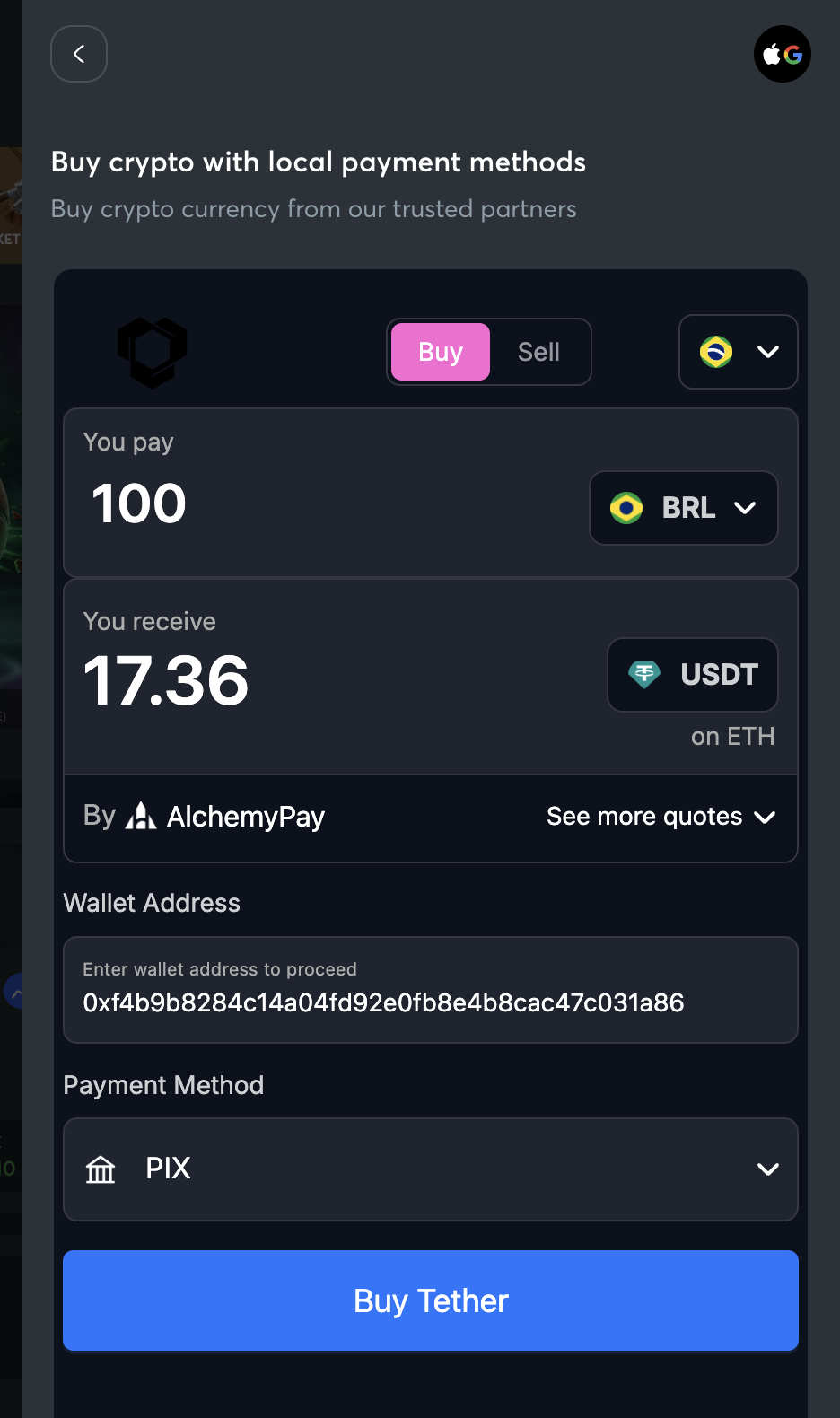
- Log in, click your balance in the top right and select Deposit, then choose Buy Crypto.
- Check that your country is set to Brazil and your currency is BRL.
- Enter how much you want to deposit.
- Choose the crypto you want to receive. You’ll see exactly how much you’ll get before you pay.
- Make sure Pix is selected as your payment method.
- Tap Buy and complete your payment.
Other ways to pay
Pix is currently the only way to pay in reais through Buy Crypto. Bank transfer, credit or debit card, Apple Pay and Google Pay aren’t available at the moment.
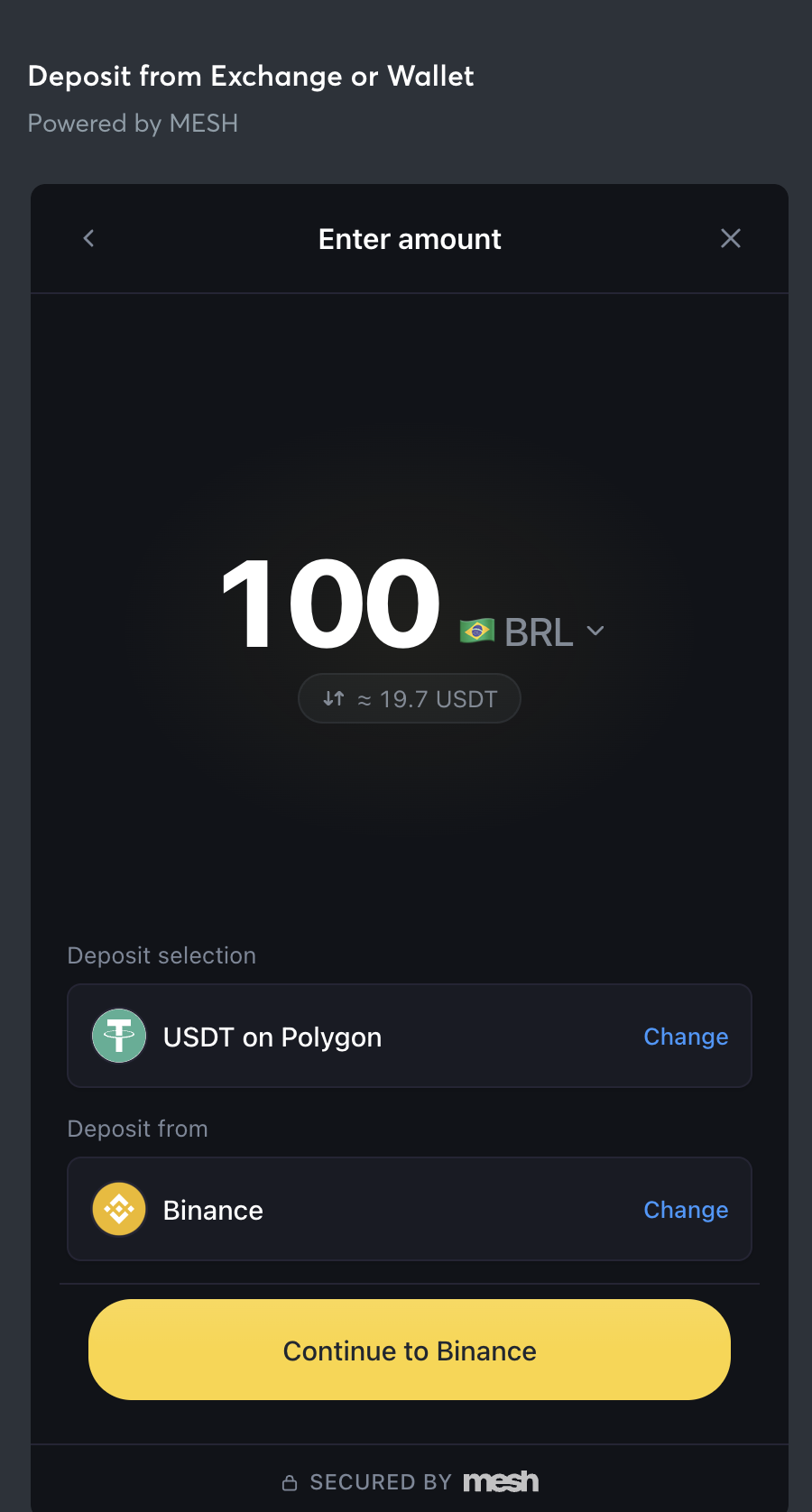
If you have a Binance or Coinbase account, you can use it to pay instead. Just select Binance or Coinbase as your payment method.
Good to know
Your Sportsbet.io wallet address is already filled in, so there’s nothing to copy. To compare rates, tap See more quotes. The best one is marked Best quote.
You’ll get a notification as soon as your deposit arrives. Payments through our partners are usually quick, but they can occasionally take a little longer.
Already have crypto?
Click your balance, select Deposit and choose your cryptocurrency. Then copy the address shown into your wallet, or scan the QR code with your phone.